Makeup Tutorial & Beauty Tips
Rstream LabsBeauty
4.526.00 Reviews
- Version
- 3.0.592
- Installs
- 500.00K
- Age Rating
- Teen
Screenshots
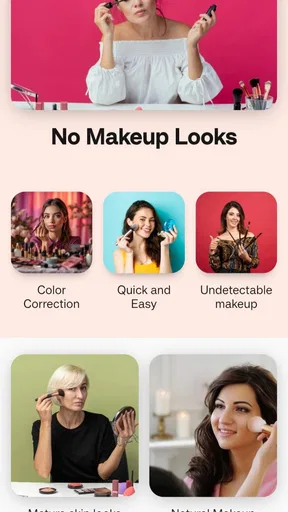
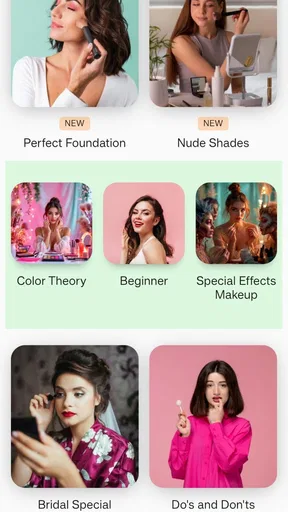
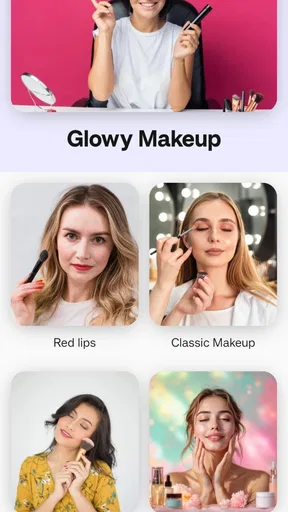
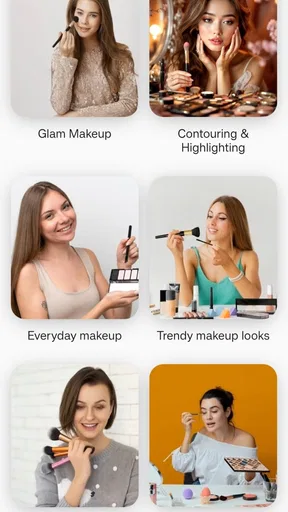
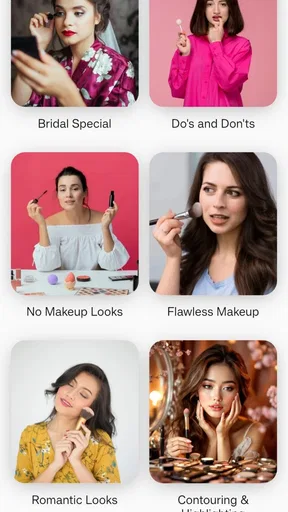
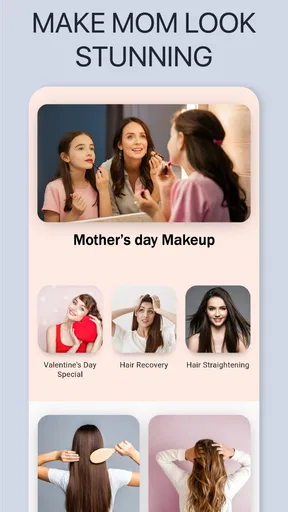
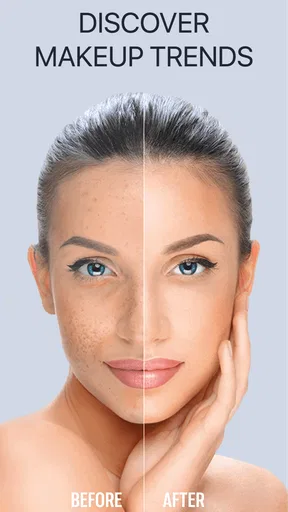
Our Review of Makeup Tutorial & Beauty Tips
 Analysis by Appyee
I usually judge a beauty app by what happens when someone else in the household picks up the phone: can they find a useful lesson without getting tangled in another person’s preferences or plans? Makeup Tutorial & Beauty Tips is best approached as a shared source of ideas, not as a household organizer. Its focus is makeup learning, so it can help different people explore techniques at their own pace, but I wouldn’t assume it provides separate profiles or tools for coordinating a family’s routines.
A shared screen, separate routines
In a home where a parent, partner, or older teen is interested in makeup, the app can give everyone a common place to look for technique ideas. One person might be curious about eyeliner while another wants to understand how to apply foundation. A tutorial-led format is useful here because each person can choose a specific skill rather than needing to follow someone else’s complete routine.
That shared-device convenience comes with a practical boundary: recommendations and browsing activity may not be intended to represent every person who uses the phone. I’d avoid treating any personal suggestions as a reliable profile for multiple people. If a household shares one device, it’s sensible to agree on who is browsing and to keep individual preferences in mind rather than assuming that one person’s interests will suit everyone.
Make it useful without turning it into a group project
A simple way to use the app together is to pick one technique and let each person follow the lesson independently, pausing when they need to compare a step with what they’re doing in front of a mirror. That keeps the session relaxed and avoids the common problem of trying to make everyone use the same products or copy the same finished look. Makeup skills are personal; the useful part is learning the method and adapting it.
For a weekday morning, I’d use a tutorial ahead of time rather than trying to learn a new technique while everyone is rushing to get ready. A short practice session on a quieter evening lets you notice which steps are confusing and decide what you want to try next. The app works better as a learning companion than as a promise of instant results, especially when a technique needs a steady hand or repeated practice.
Age, judgement, and realistic expectations
The app is rated Teen, which makes age context worth considering in a shared household. I’d still encourage a younger user to treat beauty advice as optional inspiration rather than a set of rules about appearance. Tutorials can teach practical skills, but nobody needs to adopt every trend or product suggestion to enjoy learning. Parents and teens can also talk through what looks comfortable, what fits the occasion, and what they would rather skip.
It’s also wise to use ordinary judgement with product recommendations. A suggestion can help narrow down ideas, but it shouldn’t replace checking whether a product suits someone’s skin or budget. If a household member has sensitive skin or a specific concern, they should be cautious about trying something new and seek appropriate advice when needed. I value beauty guidance most when it helps someone make an informed choice, not when it pushes them toward buying more.
Diving into the Features
Right off the bat, the app impresses with its sleek and user-friendly interface. Navigating through its myriad of features feels like flipping through your favorite beauty magazine. The clean design ensures you don’t feel overwhelmed, which is a big plus in my book.
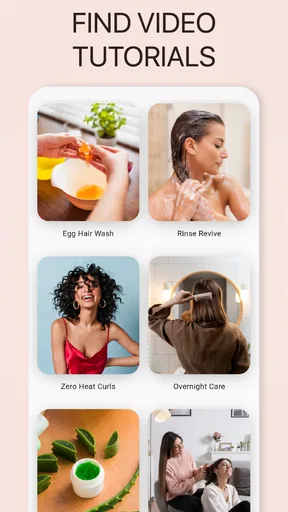
One of the standout features is the step-by-step tutorials. These are not just your average video clips; they are in-depth guides that come with detailed instructions and visuals. From mastering the perfect cat eye to achieving that flawless foundation finish, these tutorials are a game-changer. What’s more, they cater to various skill levels, so whether you're just starting out or have been experimenting for years, there's something for everyone.
Learning a technique instead of chasing a trend
The step-by-step approach is most helpful when I have a specific problem to solve, not when I’m scrolling without a plan. If eyeliner keeps ending up uneven, for example, I can focus on that skill and pay attention to the order of the steps rather than searching for a whole new look. For foundation, I’d use a lesson to understand application and finish, then test the approach with products I already own before deciding whether I need anything else.
That’s also a useful way to compare this app with the usual alternatives. Social video feeds are convenient for quick inspiration, but their fast pace can make it hard to tell which steps matter or how a look was built. A structured tutorial is better when I want to work through a technique deliberately. On the other hand, if I only want a quick trend clip or a live demonstration from a creator I already follow, a social platform may be the easier choice.
I wouldn’t expect a tutorial to remove the need for practice. Lighting, tools, product texture, and individual technique can all change the result. My tip is to change one thing at a time: keep the products and routine familiar, try the new application method, and then decide what actually helped. That makes it easier to learn from a lesson instead of attributing every difference to a new product or look.
The app also boasts a comprehensive product recommendation section. Trust me, this is a lifesaver. With the beauty world constantly evolving and new products hitting the shelves almost daily, it can be tough to keep up. Here, you’ll find tried-and-tested product reviews that help narrow down your choices. Plus, the app occasionally offers exclusive discounts, which is always a delightful bonus.
Recommendations are a starting point, not a shopping list
Product suggestions can be useful when I’m trying to understand what kind of item a technique calls for, but I wouldn’t treat them as a requirement to complete a lesson. Before buying anything, I’d check whether a similar product is already in my makeup bag and whether the recommendation fits my needs. This is particularly worthwhile for shared households: one person’s preferred shade, texture, or finish may be entirely wrong for another.
There’s a trade-off between convenience and independence here. Having recommendations alongside tutorials can reduce the time spent searching elsewhere, while comparing them with other sources can help avoid impulse purchases. If you’re trying to keep spending under control, make a note of the technique you want to learn first and only consider a purchase if you can explain what it would add. The app is free to download, but it includes optional in-app purchases, so I’d review any purchase prompt before confirming it, especially on a device used by more than one person.
Community and Connectivity
Another feature I absolutely love is the community aspect of the app. Users can share their own tips and looks, turning the app into a vibrant hub of creativity and inspiration. You can follow your favorite beauty influencers, engage in lively discussions, and even participate in challenges. It’s like having a little beauty community right in your pocket.
For household use, community content is best treated as inspiration rather than instruction that everyone must follow. Different users may have different comfort levels, routines, and tastes. If several people are browsing together, it can be fun to trade ideas, but I’d keep the focus on what each person wants to learn instead of turning challenges or shared looks into a competition.
Anyone who prefers a quiet, self-contained learning experience may not get much value from the social side. In that case, the tutorials are the more relevant reason to use the app, and it’s fine to ignore community interaction when it isn’t useful. People who mainly want peer discussion or a creator-led social feed may prefer a platform built around those activities rather than a beauty-learning app.
For those who love to stay ahead of trends, the app’s trend alert section keeps you updated with the latest in the beauty world. From seasonal makeup trends to new techniques, you’ll always be in the loop. It’s almost like having a personal beauty assistant whispering the latest secrets in your ear.
Choosing what to follow and what to leave
Trend updates are most useful when they spark an idea that suits your real life. I’d save the difference between “interesting to look at” and “something I want to wear” in my own mind: a seasonal look can be enjoyable to learn about without becoming a new everyday routine. For a beginner, focusing on one technique at a time is less overwhelming than trying to keep up with every fresh look.
This is another point where the app differs from a general beauty feed. Its tutorial and trend mix can connect inspiration with a skill to practise, while a broad social feed may offer more variety but less structure. If you want a personalized stream of creators and conversation, the latter could suit you better. If you want makeup ideas that lead into guided practice, this app’s emphasis is more relevant.
Personalization at Its Best
One thing that really sets Makeup Tutorial & Beauty Tips apart is its personalization feature. The app allows you to input your skin type, tone, and even personal preferences to tailor recommendations just for you. This personalized approach ensures that the advice and tips you receive are not only relevant but also effective.
Personalization is most valuable when the information belongs to the person currently using the app. On a shared phone, I’d be deliberate about whose preferences are being entered and whether they still make sense when someone else opens the app. A practical routine is to treat tailored suggestions as that user’s starting point, not a household-wide answer. Skin tone and preferences vary, and a recommendation that feels relevant to one person may not translate to another.
The app also remembers your past interactions and frequently browsed sections, making it incredibly intuitive. It’s like the app knows you better each time you use it, enhancing your overall experience.
That convenience has a small privacy and organization trade-off on a shared device: browsing history can make the experience feel more personal, but it can also blur whose activity is shaping what appears. I’d keep that in mind before entering preferences or relying on a suggestion after another household member has been using the same phone. If distinct personal histories matter to you, using separate devices is the clearer option; don’t assume the app will provide account boundaries that have not been established.
Who will get the most from it
I’d recommend the app to someone who wants guided makeup practice, likes having product ideas near the lessons, and is happy to learn at their own pace. It can also suit a household where different people want to browse beauty inspiration together, provided they’re comfortable sharing a device and understand that personal recommendations may not be neatly separated. Its free entry point makes it easy to explore, while optional purchases mean it’s worth checking the terms on any item before spending.
I’d skip it if you’re looking for a professional consultation, a guaranteed match for your skin, or a highly controlled family account setup. It is also less suitable if you dislike trend content, product suggestions, or community features and only want a single, tightly focused lesson. For those needs, a specialist tutorial source, a direct conversation with a qualified beauty professional, or a simple offline guide may be a better fit.
Rstream Labs is the developer behind the app, which has a 4.6 average from around 3.5 thousand ratings and more than 500 thousand installs. It is free, carries a Teen age rating, and is currently at version 3.0.592; in-app purchases range from about $0.49 to $39.99 per item. The app was released on October 7, 2022, and supports Android 7.0 and later. Those details help set expectations, but the best test is whether its tutorial style and recommendations fit how you actually learn.
Wrapping It Up
All in all, Makeup Tutorial & Beauty Tips is a must-have for anyone looking to up their makeup game. It combines practical tutorials, community engagement, and personalized recommendations to create a unique beauty experience. Whether you’re looking to experiment with new looks or simply refine your current skills, this app has got you covered. So why not give it a try and see where your beauty journey takes you? You might just discover your new favorite look!
Remember, beauty is all about having fun and expressing yourself, and this app is here to help you do just that. So go ahead, download it, and let your creativity run wild!
A household verdict
For a household, I see this as a shared inspiration and learning app, not a way to manage several people’s routines. It can make a relaxed practice session easier to plan, especially when someone has a clear technique in mind, but each person should make their own choices about products, trends, and what feels comfortable. If you want guided makeup ideas and are willing to use recommendations thoughtfully, it’s worth exploring. If you need separate accounts, precise product matching, or a service focused on professional advice, choose a different option instead.
Verdict
Strengths of Makeup Tutorial & Beauty Tips
- User-friendly interface for beginners.
- Wide range of tutorials for all styles.
- Regular updates with new content.
- Offline access for downloaded tutorials.
- Personalized recommendations based on usage.
Limitations of Makeup Tutorial & Beauty Tips
- Occasional ads can disrupt learning.
- Limited features without premium access.
- Some tutorials require in-app purchases.
- Heavy app size may affect storage.
- Requires internet for live tips.
Other Releases by Rstream Labs
View All
Learn to Draw Anime by Steps
Art & Design4.6

Skincare and Face Care Routine
Beauty4.4

Learn Drawing
Art & Design4.6

Keto Recipes : Keto Diet App
Food & Drink4.3
Similar Picks in This Category
View All
Beauty Makeup Editor & Camera
Photo & Video Editors - Instant Solution4.7

Perfect365: Face Makeup Editor
Perfect365, Inc.3.5

Mirror Plus - HD Mirror app
Digitalchemy, LLC4.8

Cute Lock Screen & Wallpapers
Prometheus Interactive LLC4.6

HD Camera for Android
One Music Player4.5

Phone Mirror app - True Mirror
Cards4.6
Frequently Asked Questions
What features does the Makeup Tutorial & Beauty Tips app offer?
The Makeup Tutorial & Beauty Tips app provides a wide range of features including step-by-step makeup tutorials, beauty tips from experts, product recommendations, and personalized beauty routines. Users can also access video tutorials, product reviews, and community forums to share tips and tricks with fellow beauty enthusiasts.
Is the Makeup Tutorial & Beauty Tips app free to use?
The app is available for free download with basic features accessible to all users. However, there may be in-app purchases or subscription options for premium content such as exclusive tutorials, ad-free experience, and personalized consultations. Users can choose to upgrade for enhanced features and content.
Can beginners use the Makeup Tutorial & Beauty Tips app effectively?
Absolutely! The app is designed to cater to all skill levels, including beginners. It offers easy-to-follow tutorials with clear instructions and visuals, making it simple for novices to learn and apply makeup techniques. The app also provides basic beauty tips and guides to help users build their confidence.
How often is new content added to the Makeup Tutorial & Beauty Tips app?
The app is regularly updated with fresh content, including new tutorials, beauty tips, and product recommendations. Users can expect weekly updates to ensure they have access to the latest trends and techniques. The app's developers are committed to providing timely and relevant beauty content for all users.
Does the Makeup Tutorial & Beauty Tips app require internet access?
While some features and content can be accessed offline, the app generally requires an internet connection for video tutorials, community interactions, and updates. Internet access ensures users can fully enjoy the interactive features and receive the most current beauty advice and tutorials available.
